Fixture Generation
Round-robin leagues on your match day, knockout cups spread over a season, or a full one-day tournament schedule across courts and pitches.
 ®
Tennis
LeagueHub365® runs British tennis leagues the way they are played: county, district and inter-club team leagues, box leagues and knockouts. Schedule the season's ties, let captains confirm the courts and enter the rubbers from a link, and keep a live table. Team ties from 2 to 8 players, scored as rubbers won per tie, with every default adjustable per competition.
Running the club itself: squads, coaching and registration? See TalentHub365.
See It In Action
Real screens from the app on tennis demo data — the organiser’s fixtures and table, a team manager’s match link, and the match-day console.
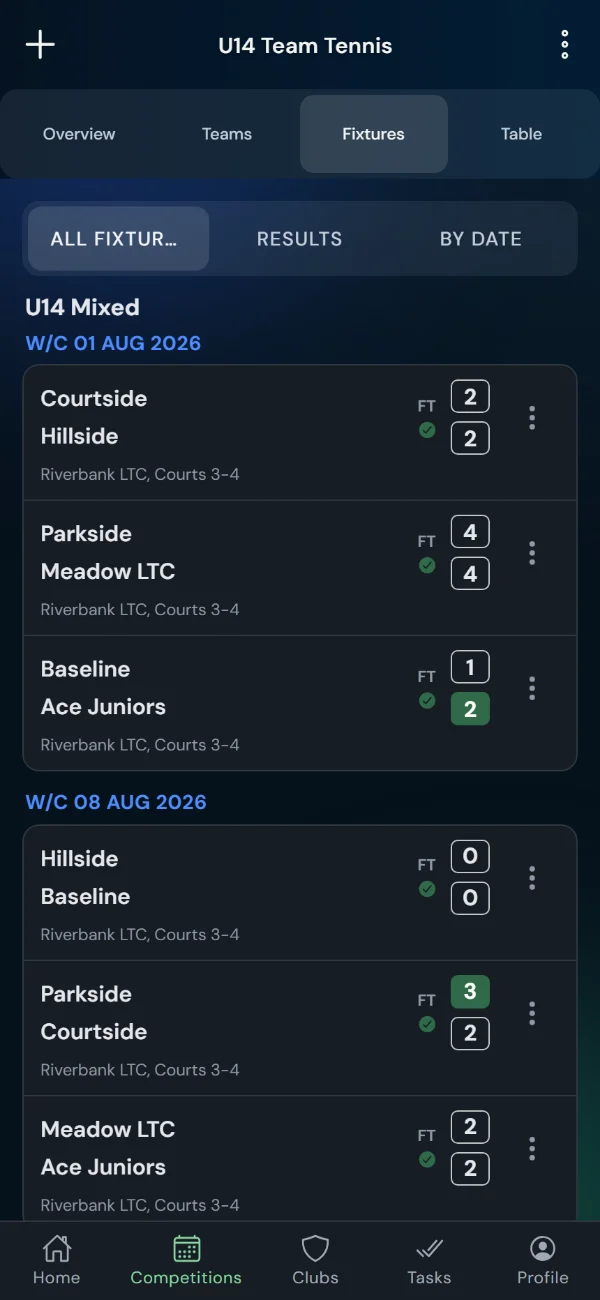
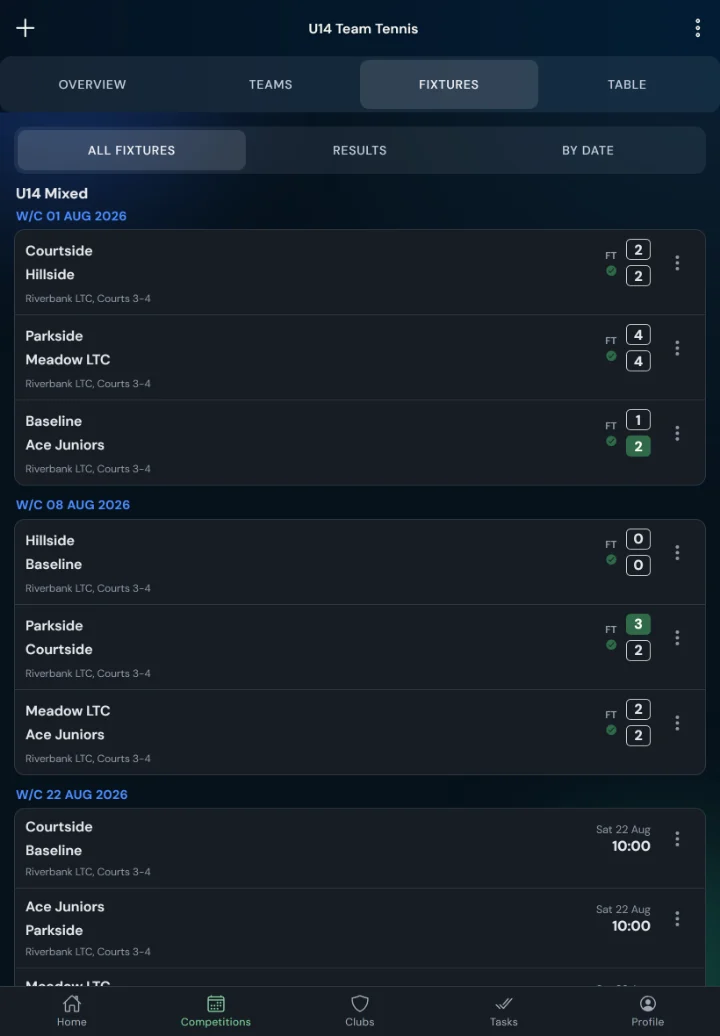
Results arrive from the teams' own links and count as soon as one is in; a different score from the other team is flagged, and you can see who's still to play.
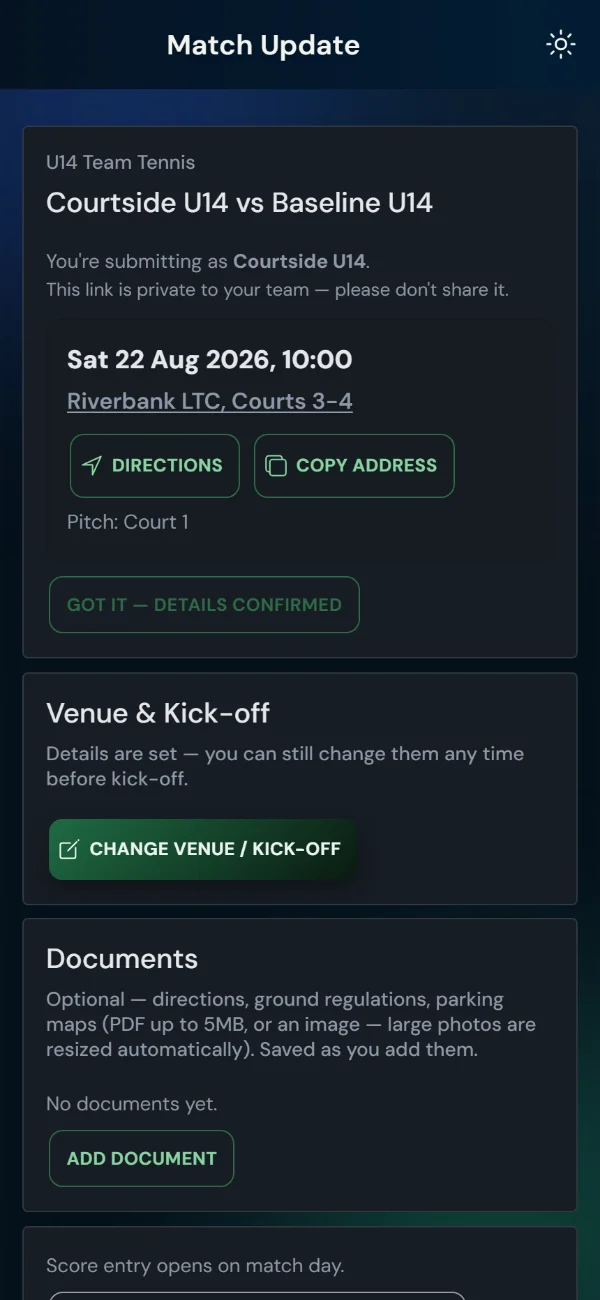
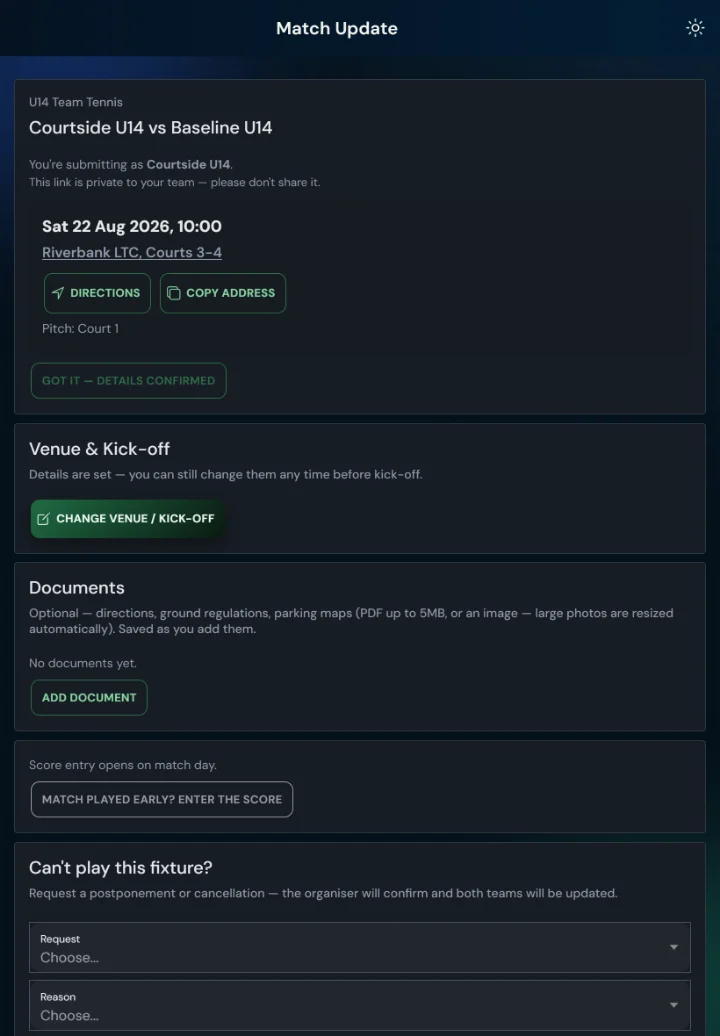
Managers confirm venue and kick-off, get directions and enter the score from an emailed link on match day. Nothing to install, nothing to remember.
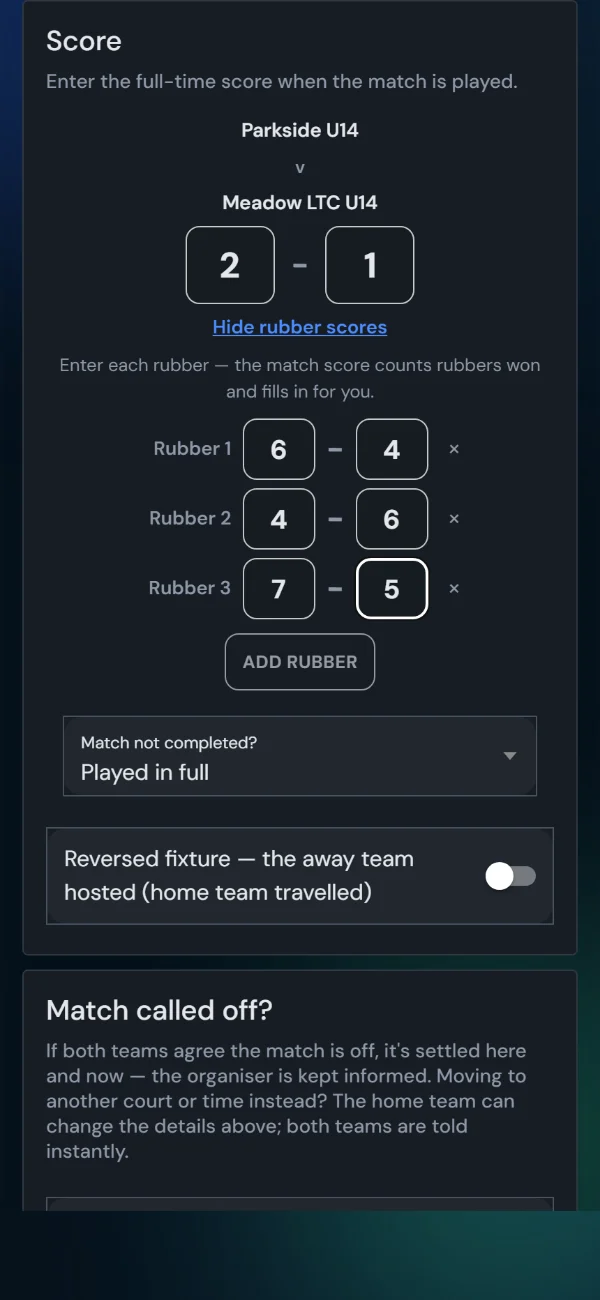
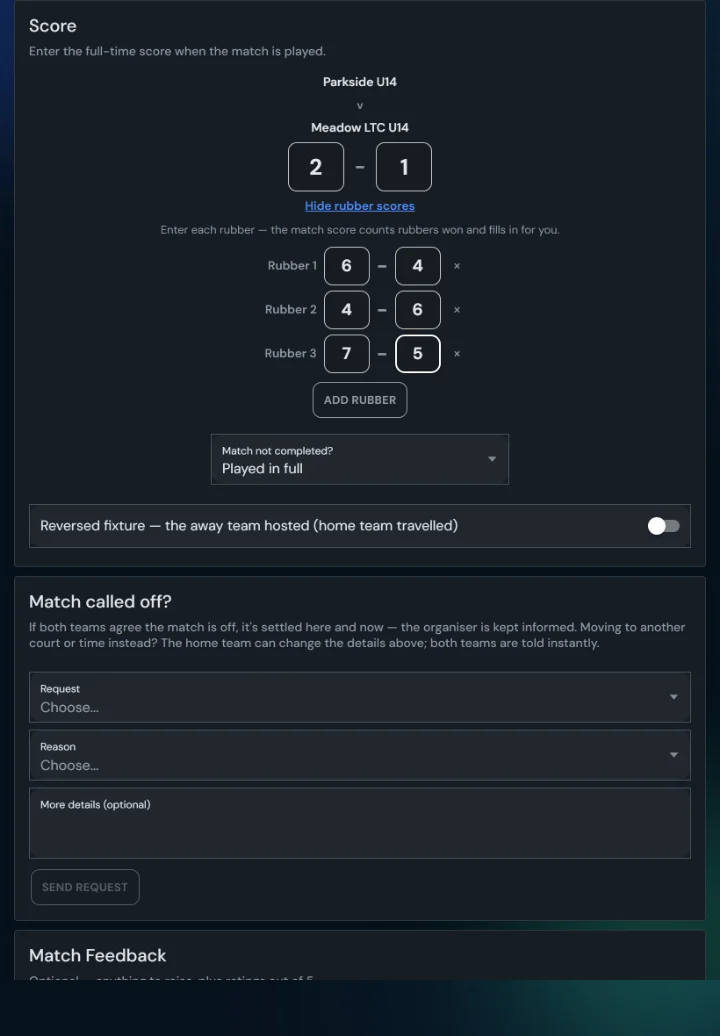
Enter each rubber as it finished — 6-4, 4-6, 7-5 — and the tie score counts itself. The rubber line is published with the result, exactly as a tennis scoreboard reads. Retirements and walkovers are first-class: a tie won 2-2 when an opponent retires is recorded at 2-2 with the winner named, never a made-up score.
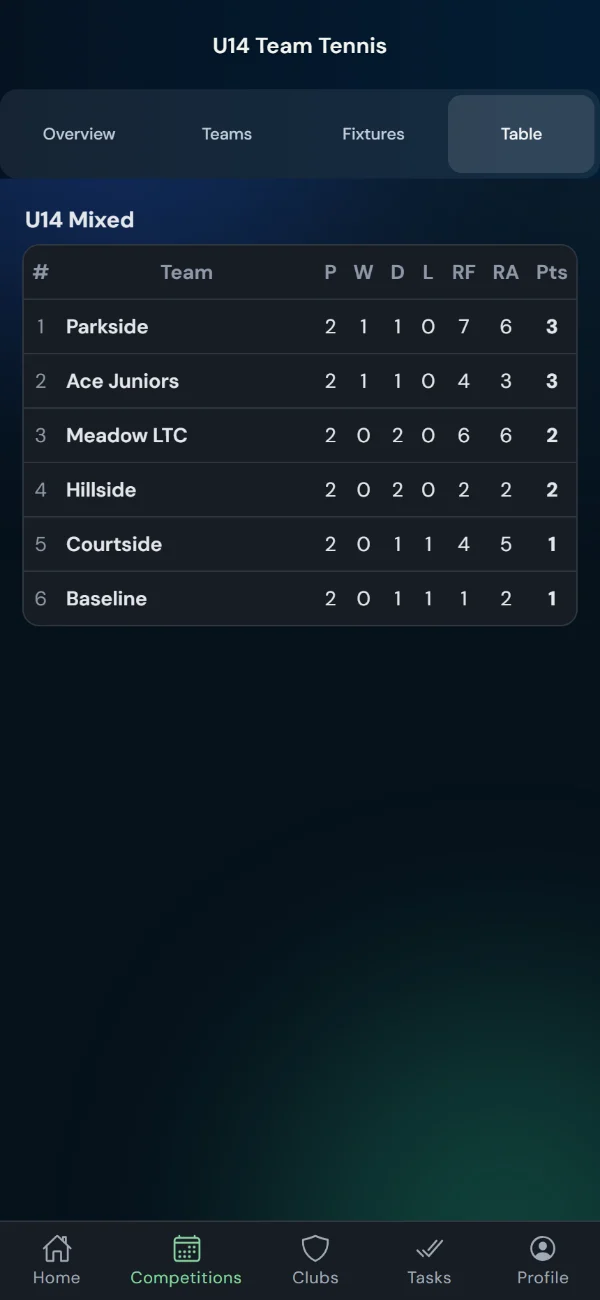
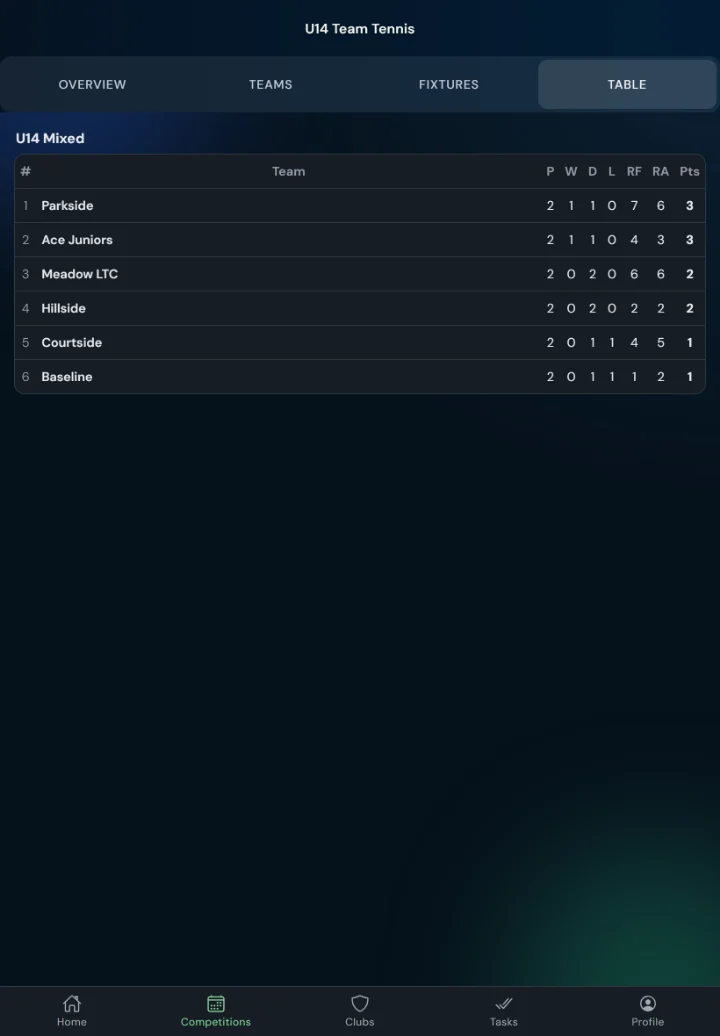
Points, draws and score labels come from the tennis profile; the table recalculates the moment a result confirms and publishes to the Match Centre.
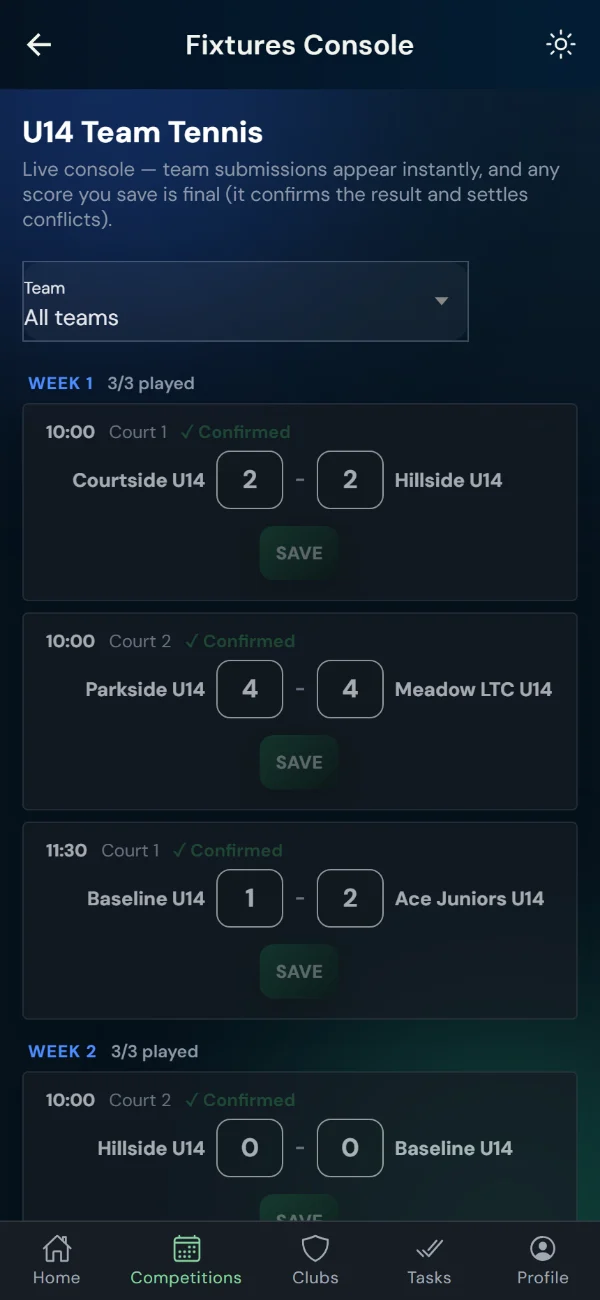
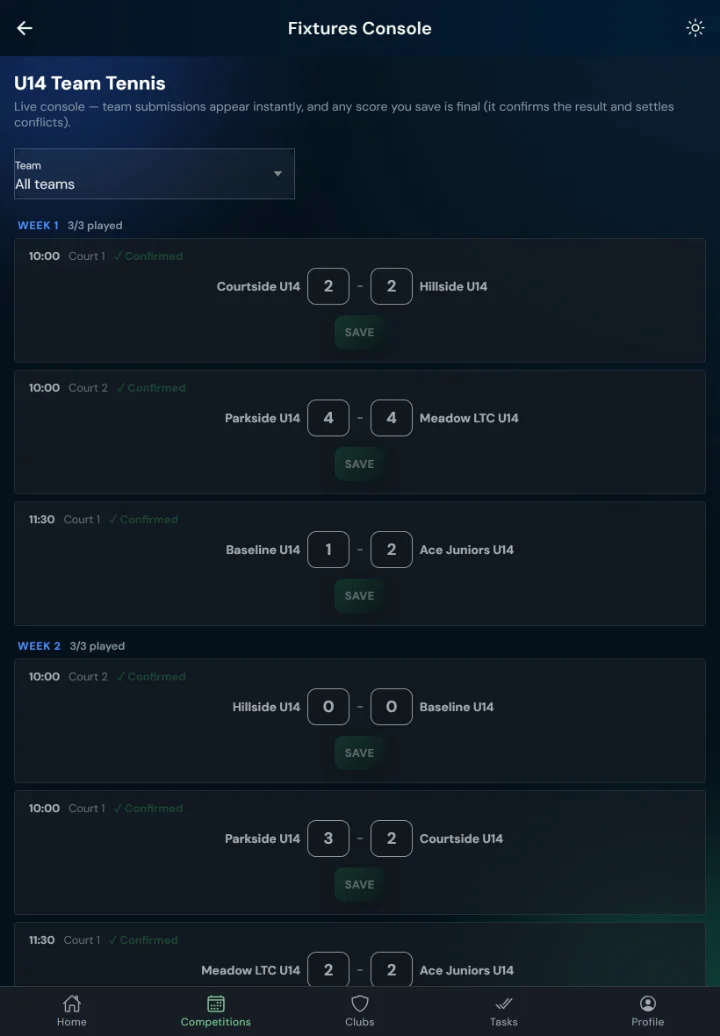
Every fixture in one list with in-place score entry — for the organiser at the ground, or handed to a referee as their own day sheet.
What You Can Run
Round-robin leagues on your match day, knockout cups spread over a season, or a full one-day tournament schedule across courts and pitches.
Both sides submit the result from a private email link — no accounts, no chasing. Disagreements are flagged for you to settle.
Standings update as results land, using rubbers won per tie, with rubbers-for and rubbers-against tables.
Share fixtures, results and tables with players and parents — you control what's public per competition.
Built For Tennis
Pick Tennis when you create a competition and a fixture is a tie of 2 to 8 rubbers, not one match with one score. Singles, doubles or a mix — set the tie size per competition and it applies to every fixture you generate.
Each fixture records the tie score in rubbers (e.g. 4–2), and league tables rank on rubbers for, rubbers against and rubbers difference — not goal difference borrowed from football.
A box is just a small round-robin: generate one per box, let results come in from the players themselves, and the table orders itself. Run several boxes side by side as separate sections within the same competition.
Either captain can call a tie off from their match link with a reason; the other side agrees in one tap and both clubs and the organiser are told at once, by email and text. No ring-round, no organiser inbox full of duplicates.
Record LTA coaching qualifications, safeguarding, first aid and DBS per person — with automatic email reminders at 60, 30 and 7 days before anything expires, to the coach and the club.
Venues are courts throughout. The home captain sets the court, surface notes and start time on their own link, and the away club gets the address, directions and a details-confirmed tap — without anyone creating an account.
For League Organisers
County and district tennis runs several teams per club — Men's A and B, Ladies', mixed, juniors. Each one enters with its own captain and contact details, in its own division, and carries over to next season's leagues, cups and box competitions without retyping a thing.
Each captain gets one private link per tie: the venue and start time, the opposition captain's name and number, directions, and the box to enter the rubbers. No accounts, no passwords, no app for a volunteer to install in March and forget by May.
Publish fixtures, results and tables to a public match-centre page for the club noticeboard or your own website. It stays free for everyone, always, and carries nothing private — captains' links never appear on it.
FAQ
Set the league's match day and any weeks to skip, and LeagueHub365 generates every tie for the season, single or home-and-away. A team booked twice on one day, across leagues and cups, is flagged with suggested moves or swaps. Before each tie the home captain confirms the court and start time from their link, and reminders go out ahead of it.
Yes. Pick Tennis as the competition sport and a fixture is a tie of 2 to 8 rubbers, singles, doubles or a mix. Captains enter each rubber, the tie score (e.g. 4–2) works itself out, and tables rank on rubbers for, against and difference. Every default is adjustable per competition.
Yes. Each side gets a private email link to submit the tie score with no account needed; matching reports confirm automatically and conflicting ones are flagged to the organiser.
Yes. A club can enter as many teams as it runs, each in its own division or section, and each with its own captain. Tables, fixtures and comms stay separate per team while the club sees them together.
No. LeagueHub365 is independent and isn't connected to the LTA. It's for leagues that run their own fixtures and tables: county, district and inter-club team leagues, box leagues and club competitions.
Yes. Every competition can publish fixtures, results and tables to a public match-centre page you control.
LeagueHub365 is free for organisers, with every feature and no card. Public pages are free for everyone, always.