No-Login Score Entry
Both teams submit from a private link; matching scores confirm automatically.

Solution
LeagueHub365 collects results straight from teams via private email links, cross-checks both submissions, and keeps public fixtures, results and tables up to date — so you stop re-typing scores from texts.
See It In Action
Real screens from the app on demo data — a manager’s score entry, the organiser’s fixtures and table, and the match-day console.
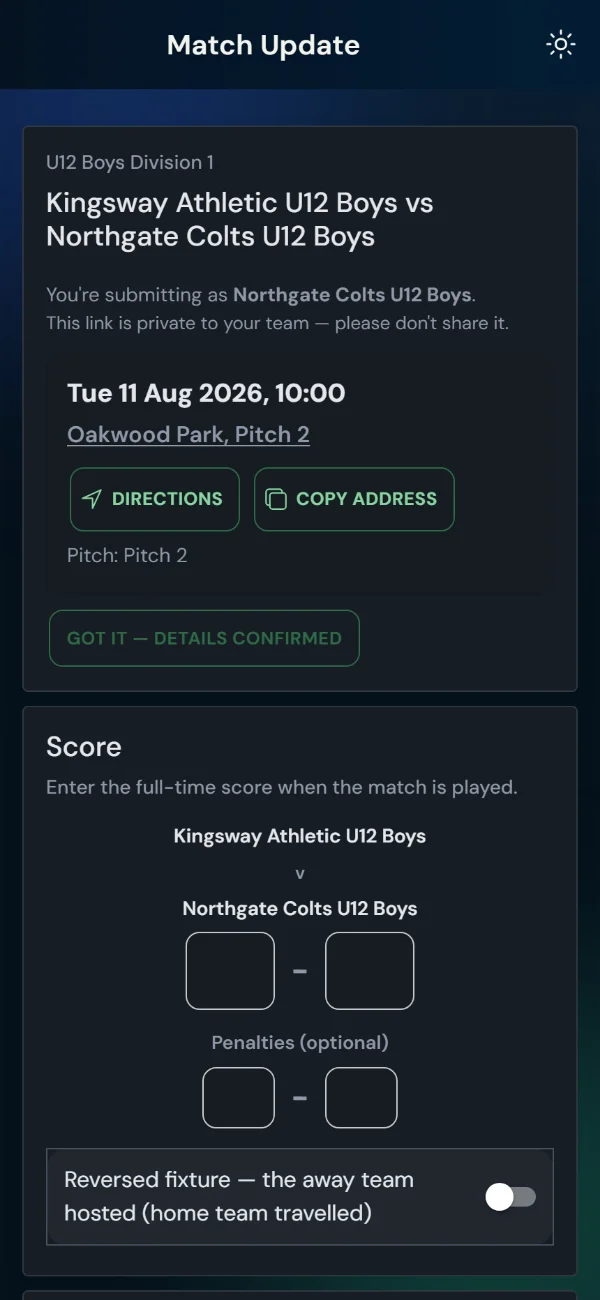
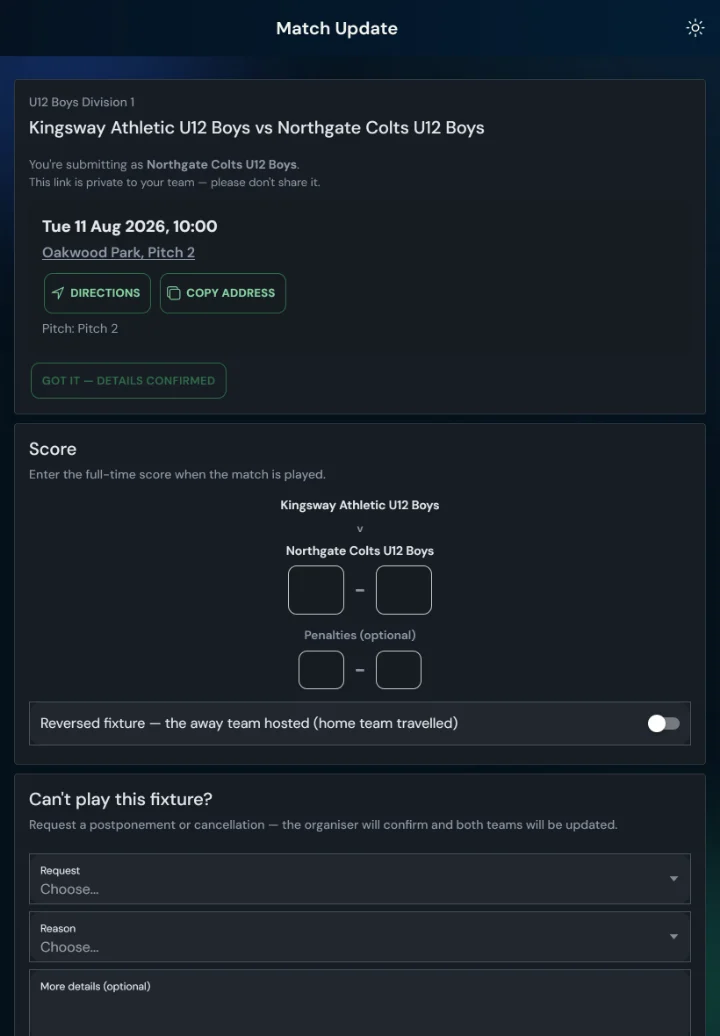
Opens on match day; each side enters blind. Matching scores confirm, a disagreement flags for the organiser. Optional pitch, referee and opposition ratings.
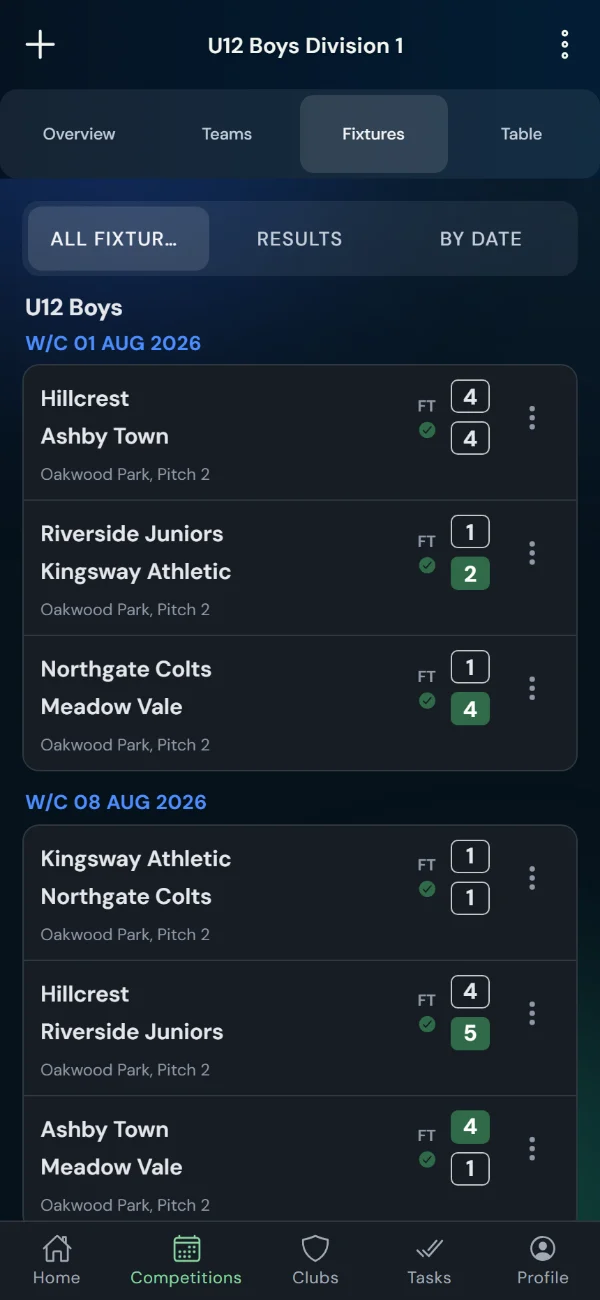
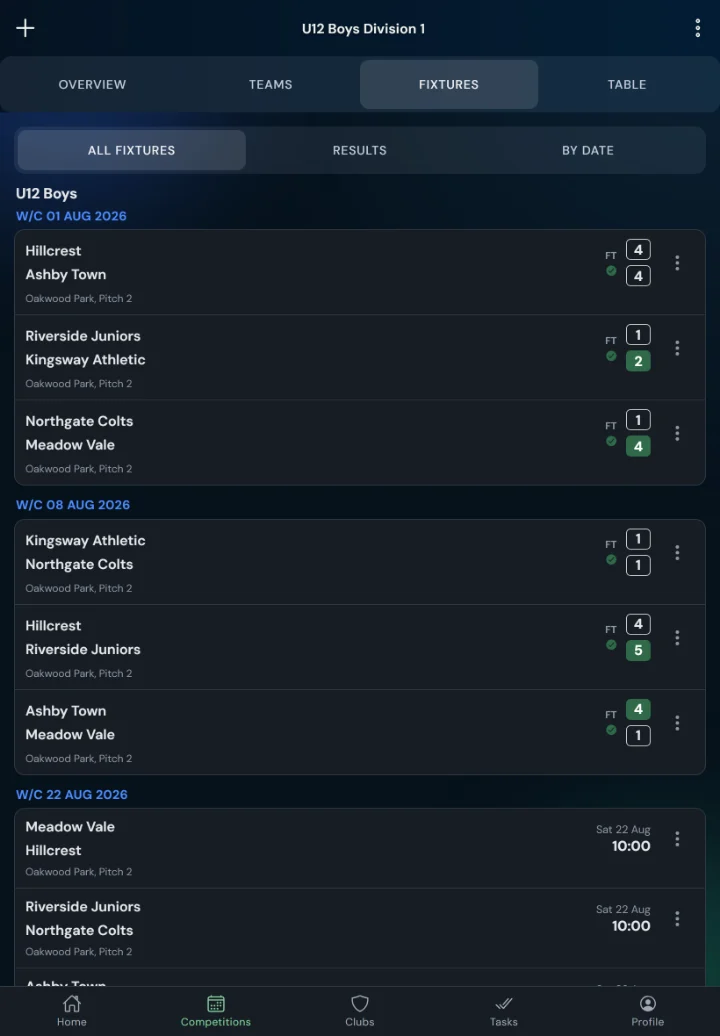
FT scores with a confirmed tick, chasers sent automatically for anything outstanding, and a Home tile listing whatever still needs you.
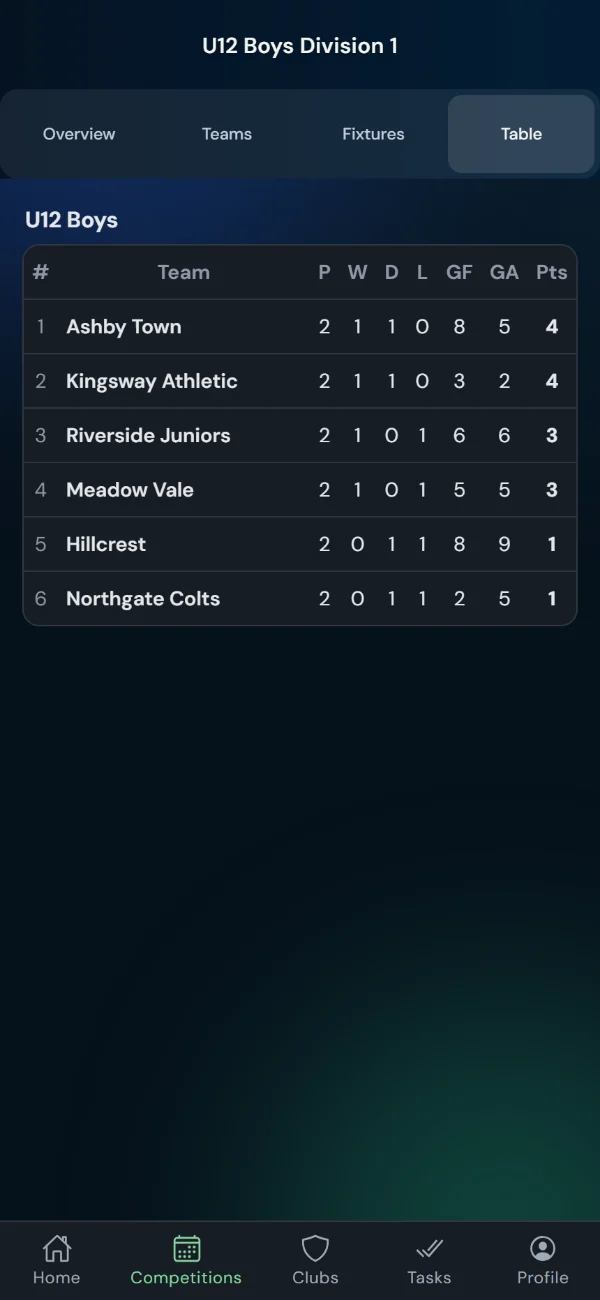
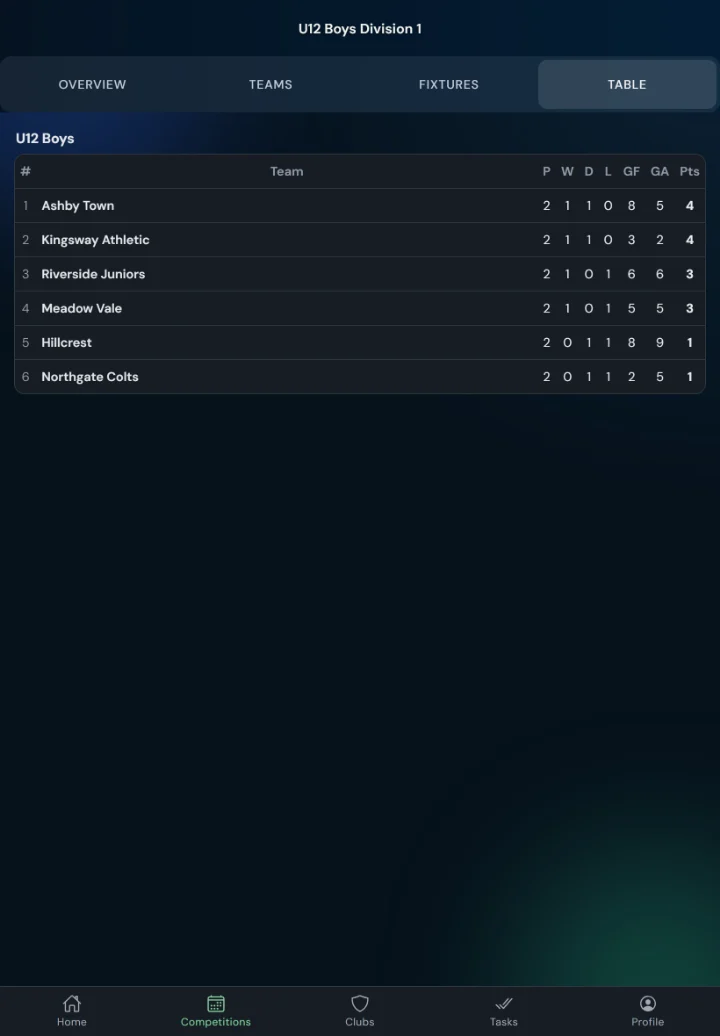
The table recalculates the moment a result confirms — and publishes to the public Match Centre for parents and players.
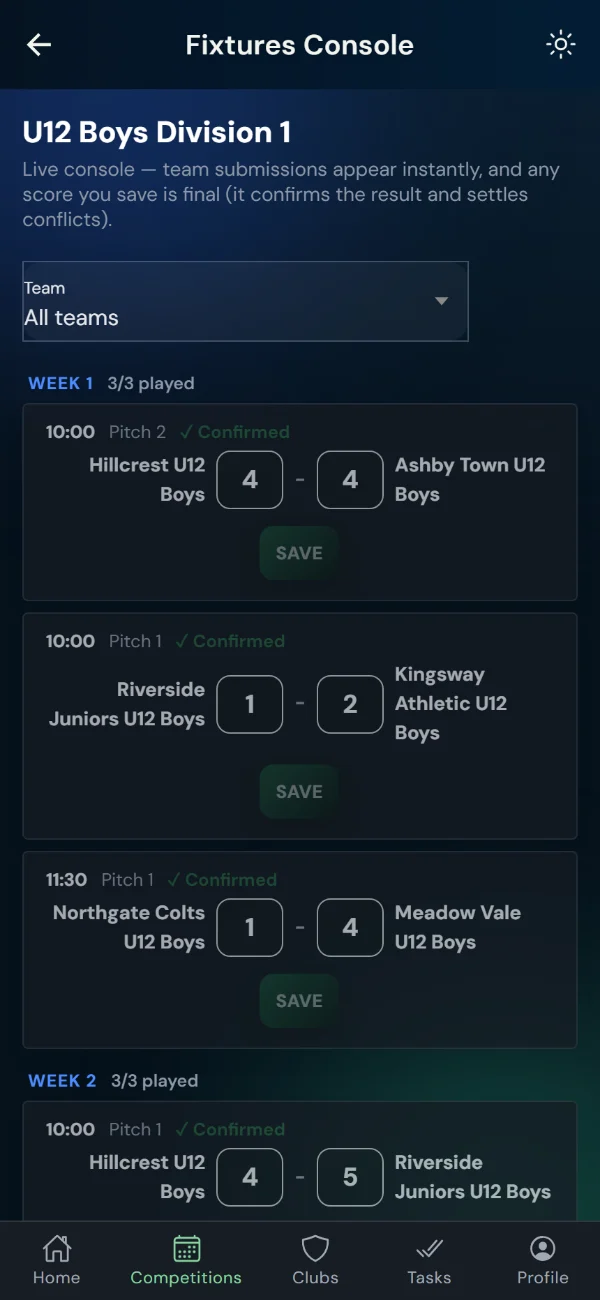
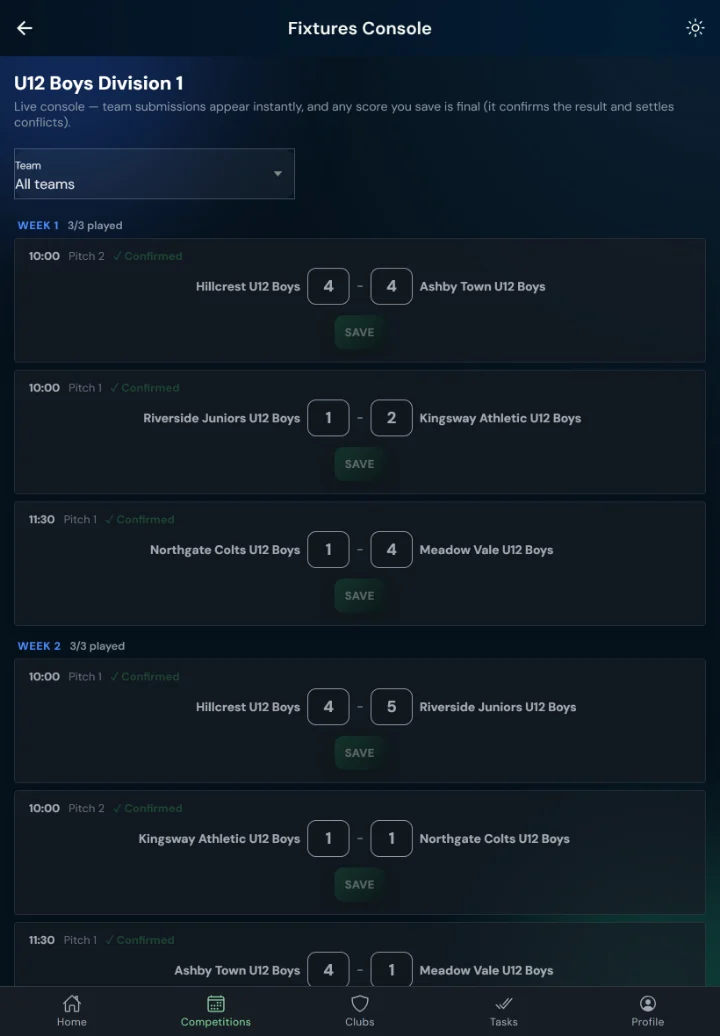
The console lists every fixture with in-place score entry — an organiser’s entry is final and settles conflicts.
What You Get
Both teams submit from a private link; matching scores confirm automatically.
If submissions disagree, the result is flagged for the organiser to settle.
Home teams confirm ground and kick-off; requests are sent automatically before the match.
Optional notes plus star ratings for pitch, referee and opposition behaviour.
Enter sets, quarters or halves and the match score computes itself — the breakdown is published with the result, checked so it always adds up.
A match that stops early is recorded at the real score with the winner named — tables and knockout rounds advance the right side, no fudged results.
A day-by-day date ribbon and week view, with fixtures and tables grouped by age group and gender.
Every submission is kept — who entered it, when, the score and penalties — even if a fixture is later removed.
Add, reschedule, postpone, cancel or reverse fixtures whenever you need to — or clear all and start again.
Choose what's public: fixtures, results and tables, per competition.
FAQ
Each team receives a private link by email. They open it and enter the score — no sign-up needed.
The home team's link lets them confirm venue and kick-off time, and a request can be sent automatically before the match.
Yes. Add fixtures by hand at any time, reschedule, postpone, cancel, or reverse home and away.
Yes. Every score submission is kept in an audit trail — who entered it, when, the score and penalties — even if the fixture is later removed.