
For Team Managers
Your league, day to day
Everything comes to you by email, with a private link that belongs to your team — keep it within your coaching team, because anyone who has it can act for your team. There is no app to install, no password, and nothing to remember. You only ever do three things — and each one takes under a minute.
1. Confirm the match details
Two weeks before each game (for Saturday fixtures, that’s two Sundays before), you get an email with a private link to your match page. Please sort it as soon as it arrives — venue, kick-off and confirmations should all be done a full fortnight before matchday.
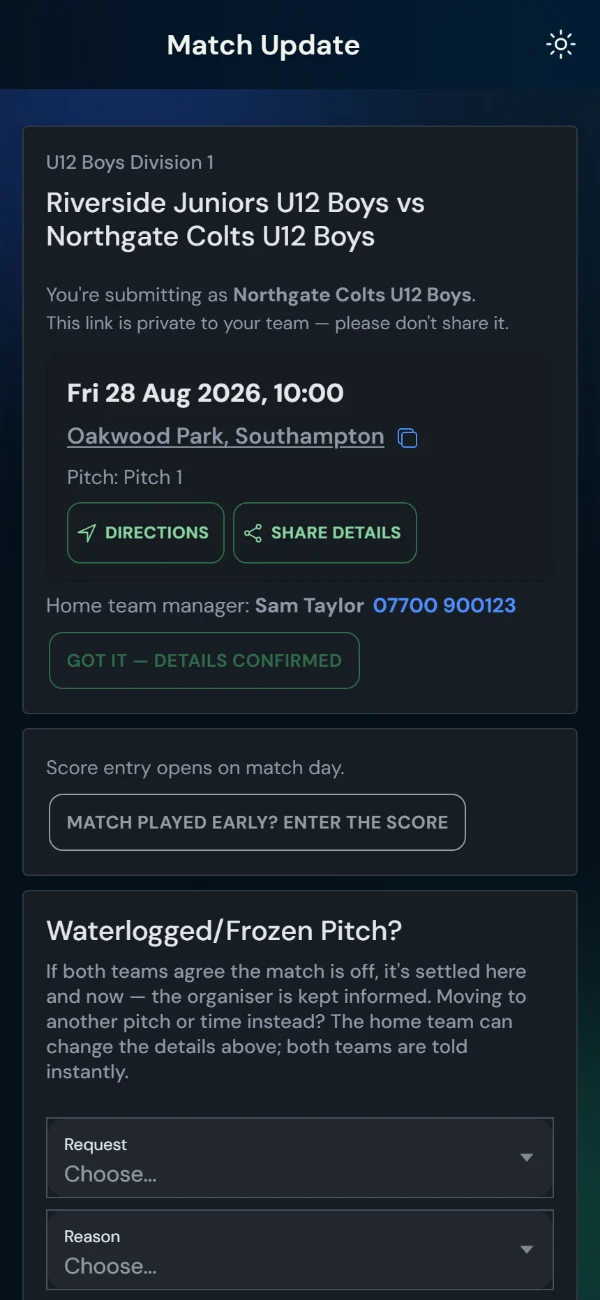
Home manager: the email asks you to set the venue and kick-off time. Tap the link, choose the ground and time, done. The away team is told automatically.
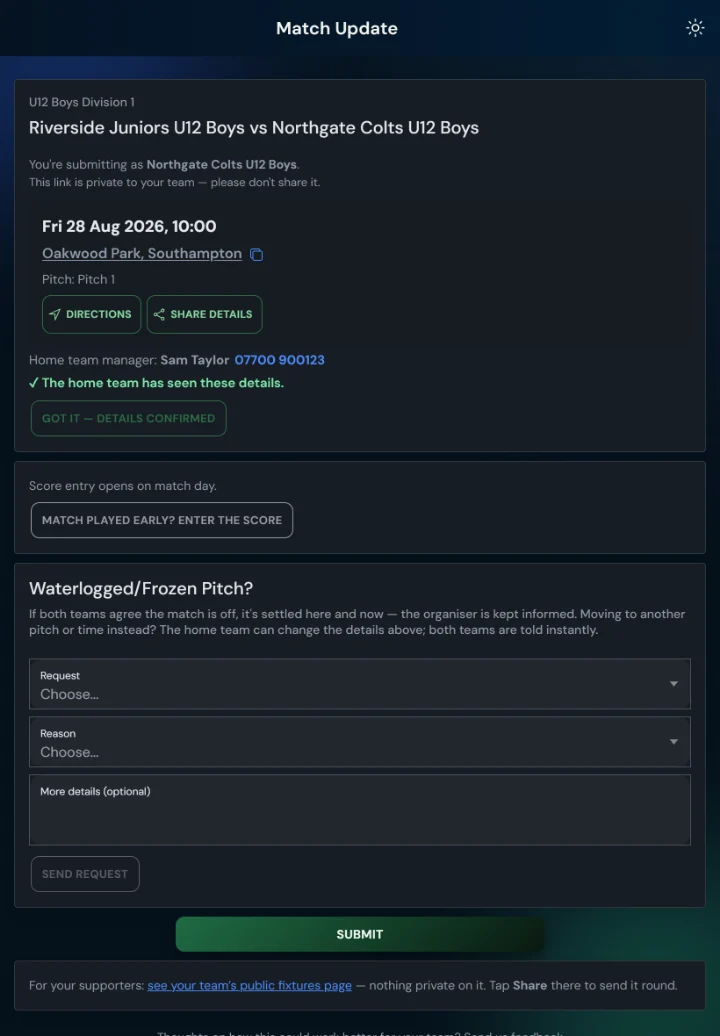
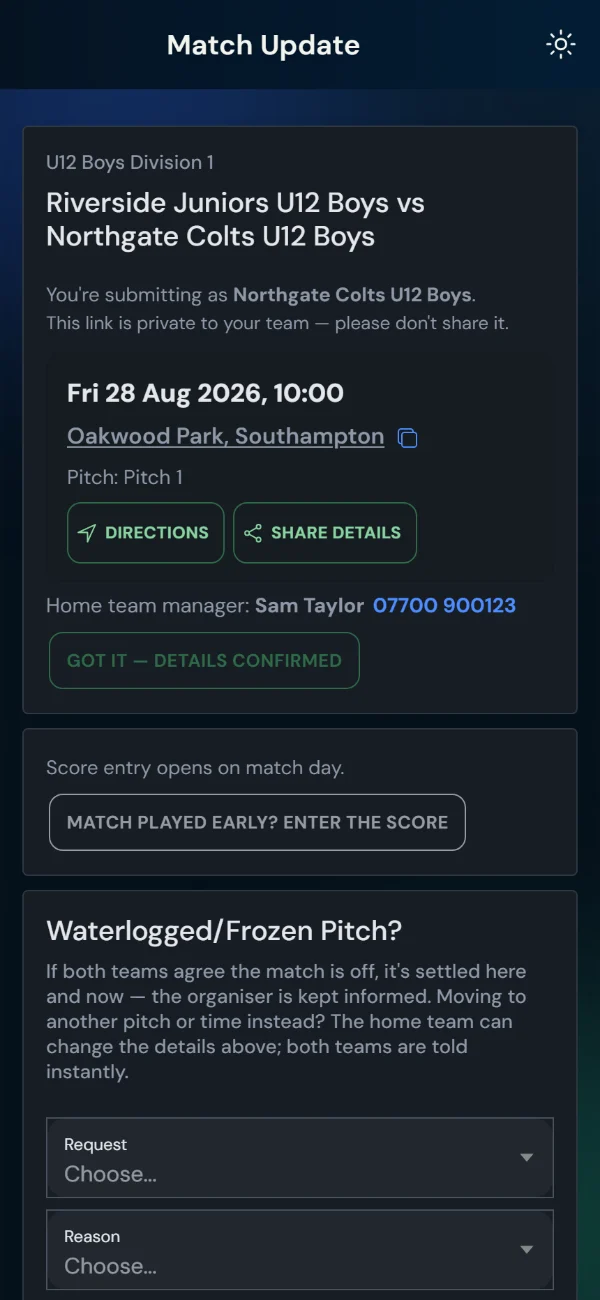
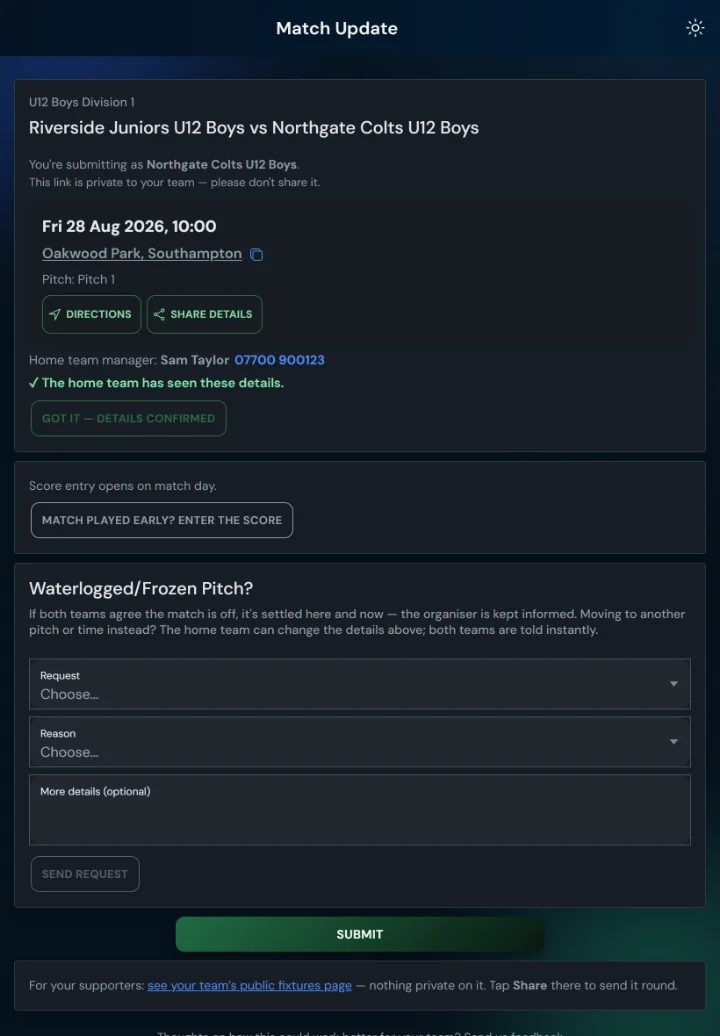
Away manager: when the details are set, you get an email (and a text, where your league uses them). Open your link, check the venue and time, and tap “Got it — details confirmed”. That one tap tells the home team you’re coming and stops the reminders. The page has a map link and directions for match day.
Forgot? You’ll get a gentle nudge a couple of days later, and a final one three days before the match. Nothing bad happens — the page always shows the latest details. If you’d rather reply to the email, that works too; your organiser will record it.
Texts come from +44 7400 472940, start “LeagueHub365:” and carry a short leaguehub365.com link to the same page. Worth saving the number as a contact.
2. Enter the score
On match day, score entry opens on the same link (it’s also emailed to you again after full-time, so you can’t lose it).
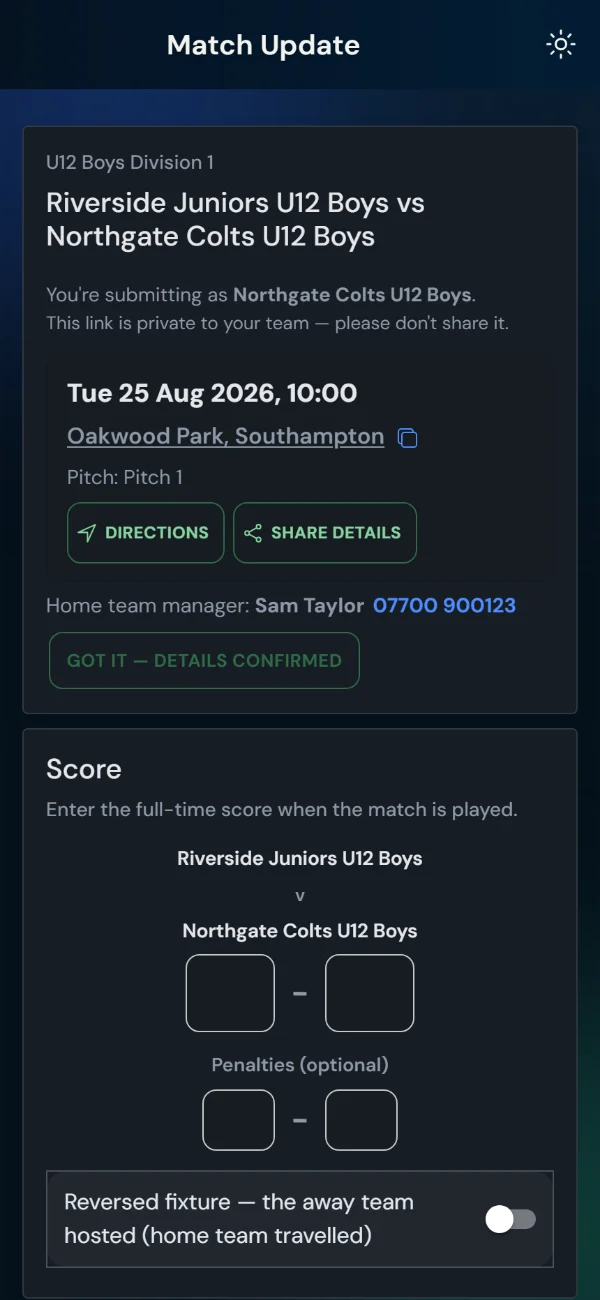
Type the score. Press save. Done.
Both teams enter their score without seeing the other’s. If they match, the result confirms itself and the table updates. If they don’t match, the organiser sorts it out — you don’t need to do anything.
Forgot? A polite chaser arrives the next day with the same link.
3. Waterlogged/Frozen Pitch
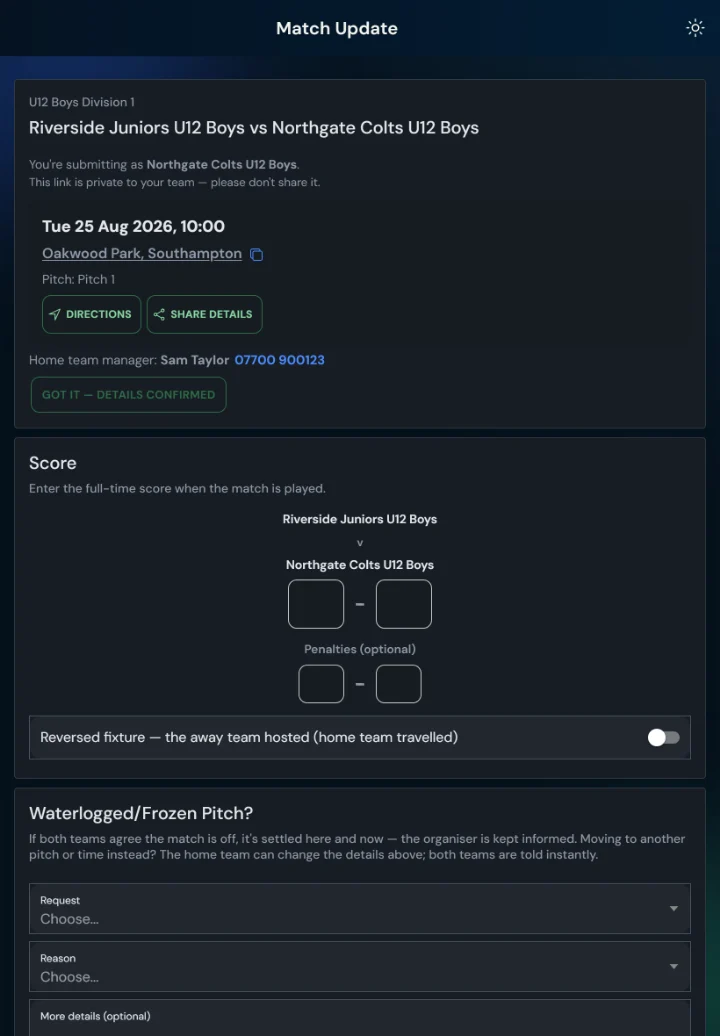
Open your match link, scroll to “Waterlogged/Frozen Pitch?”, pick a reason and send. The other team is told straight away — by email, and by text where your league uses them.
If their manager agrees, they tap Agree on their own match page and it’s settled there and then: the match is postponed, both teams are told, and the organiser arranges the new date.
No agreement? Nothing changes until the organiser decides — so no game ever disappears by accident. The other manager’s name and number are on your match page if a quick call is easier.
Good to know
- Your link is private to your coaching team. Anyone with it can enter your scores — share it with your co-manager or coach if you need to, never with parents or players.
- Lost the email? Every new email about that match carries the same link. Or ask your organiser to resend it.
- No login, ever. You never need an account, a password or an app for any of this.
- The return fixture works the same. When you meet the same team again, nothing changes — except if you’re home this time, the venue request comes to you.
- Some leagues also send texts. If yours does, they come from +44 7400 472940 (worth saving as “LeagueHub365”) and carry your match link — the same link is always in the matching email too.
- Emails come from LeagueHub365 — if the first one doesn’t appear, check your junk folder once and mark it safe.
- Sending Saturday’s details to your squad? Tap Share details on your match page — opponent, kick-off, venue, map and your team’s public page in one tidy message for your group chat. It never includes your private link.
- Supporters want to follow along? Your match page has a link to your team’s public fixtures page — nothing private on it, safe to share with anyone. That’s the link for the parents’ or supporters’ group; your organiser decides what’s shown there.
Questions? Reply to any of the emails, or contact us — a person reads it.